Artist
Thomas Penders Contributor
 Loading, please wait...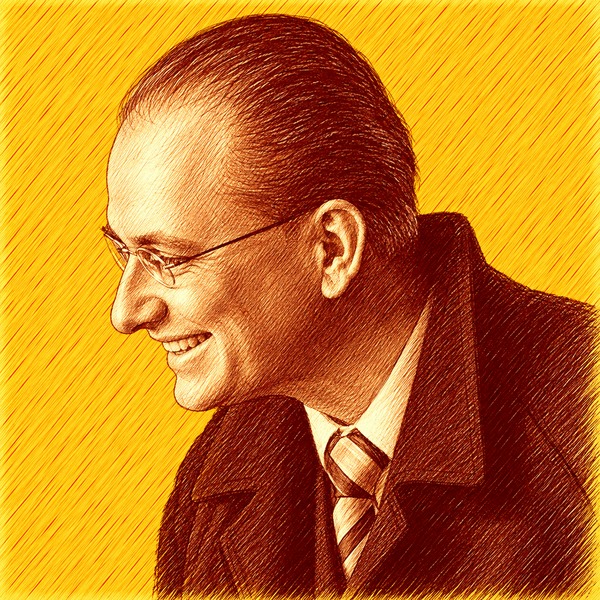
Thomas Penders was born in the Netherlands on January 27, 1972. He began playing the piano at eleven and soon became interested in improvisation and composition. In 1989 he auditioned for the Rotterdam Conservatory, where he studied piano with Aquiles Delle Vigne, a pupil of Claudio Arrau, and also participated in master classes with Vladimir Tropp. Penders moved to the United States in 1995 and gave a debut recital there the following year.
Alongside his work as a pianist, Penders devoted increasing attention to composition. Between 1999 and 2005 he wrote several symphonies, piano sonatas, études, and other works, pursuing a predominantly classical concert tradition. His compositions grew directly from his background as a pianist and improviser, with the piano occupying an important place in his creative output.
###
Thomas was born on January 27, 1972 in The Netherlands. At age 11, he began playing piano, and soon after began improvising and composing. In 1989, he decided to audition at the Conservatory of Music in Rotterdam. He studied under Aquilles Delle-Vigne - a student of Claudio Arrau and the fourth generation of the Franz Liszt lineage - and participated in master classes with Vladimir Tropp.
In 1995, he moved to the United States and gave a debut recital in 1996. From 1999 to 2005, he composed several symphonies, piano sonatas, piano etudes and more and currently working to promote his compositions. More of his music will be performed in future recitals.
To listen to more music, you can visit Thomas at his own website.
Thomas Pendersemail: thomaspenders7@gmail.com
website: https://sites.google.com/site/pianolessonsinpetaluma/home
phone: 707-287-0826
To view this artist's contact information, please log in first.