1What it is
Your Favorites channel plays the recordings you have marked with ♥, nonstop and in random order. Find it under Channels → My Favorites in the main menu.
- Mark a single track or a complete performance while it plays.
- Play your favorites as a channel. Like every channel it plays at random, and the queue keeps refilling, so the music never stops.
- Manage the list on the My Favorite Tracks page.
Creating your own channel from your favorites is a subscriber benefit.
2Add a favorite
You add favorites from the player bar at the bottom of the screen.
- Play something you love, from any Play button on the site.
- Click the ♥ in the player bar.
- Choose This track to keep just the movement that's playing, or This performance to keep the complete work in that recording.
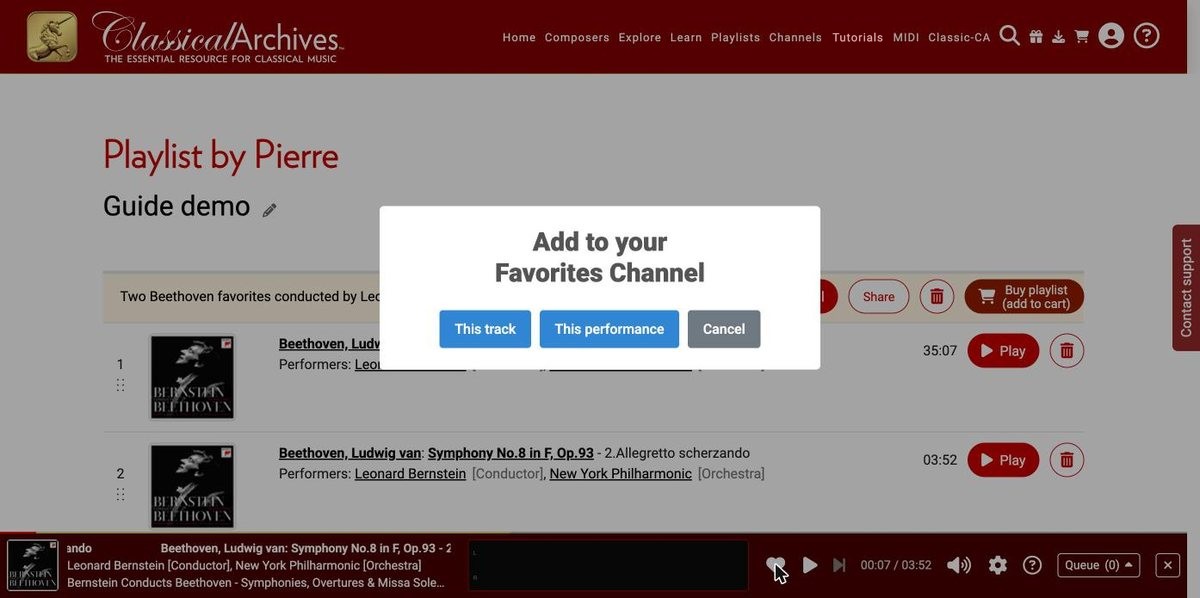
The Add to your Favorites Channel window.
When the music that's playing is in your Favorites, the heart shows a small check mark:

3See your favorites
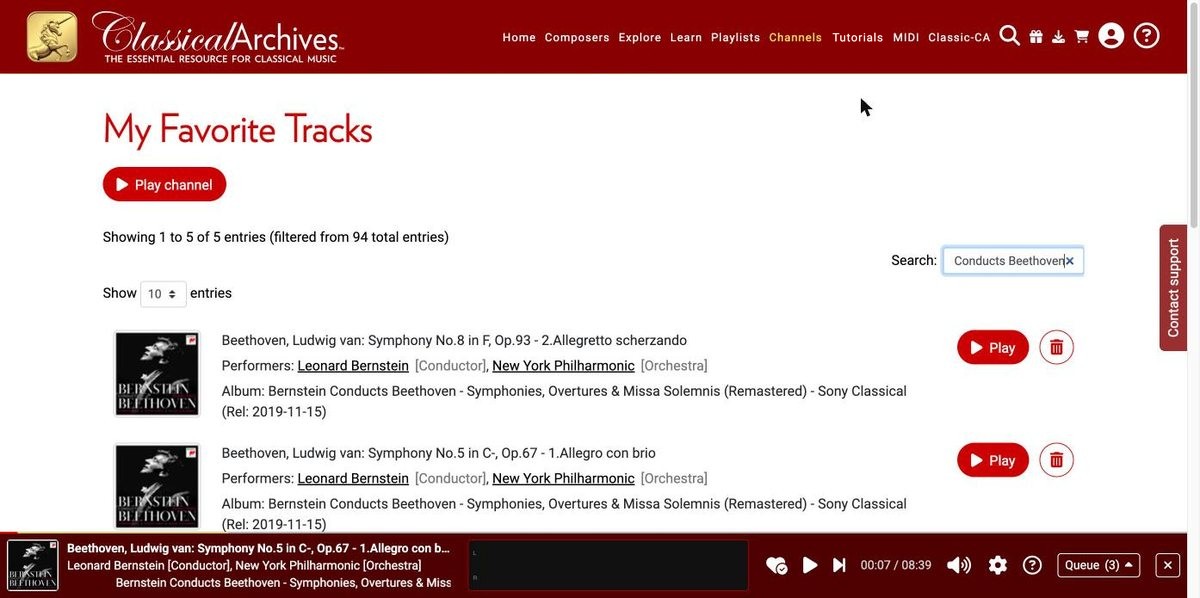
Open Channels → My Favorites. The My Favorite Tracks page lists every track you've marked, with its performers and album.
- Use the Search box to filter by composer, work, performer or album.
- Use Show to choose how many entries appear on each page (10, 20, 50 or all), and the page numbers to browse.
- Click ▶ Play on any row to hear that track.
4Play your channel
Click ▶ Play channel at the top of My Favorite Tracks. Your favorites play in random order, so the channel is different every time.
Your Channels setting decides what gets picked:
| Channels setting | What the channel plays |
|---|---|
| Movements only | Individual movements, picked at random. |
| Full Works | Entire works, picked at random. Each work plays all its movements in order before the next random pick. |
Set it in My Account → Channels, or with the gear in the player bar (Player Settings → Channels, then Save). The Channels page also has the same choice at the top.
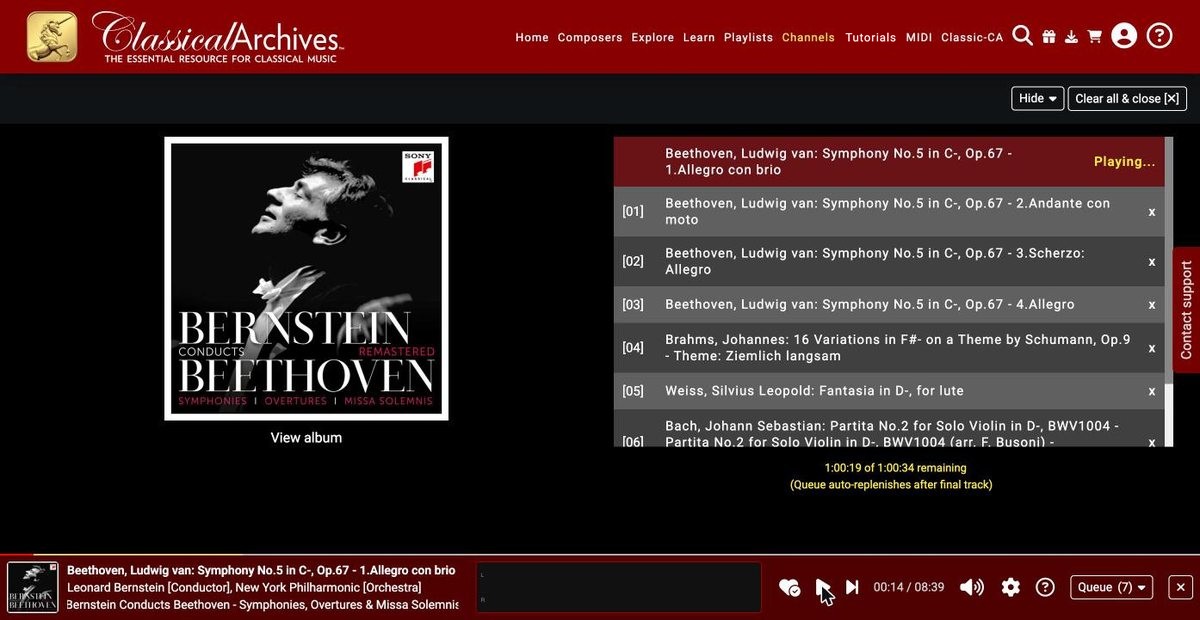
You can keep browsing the site while the channel plays. The player bar stays at the bottom of the screen.
5Remove a favorite
There are two ways:
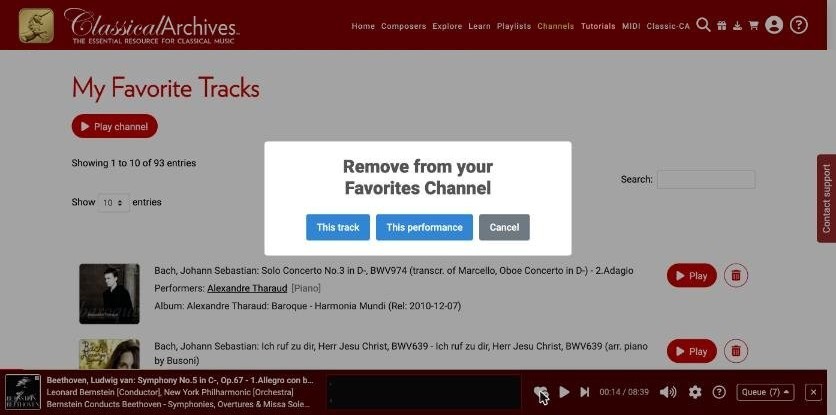
- From the player: while it plays, click the ♥ (with its check mark), then choose This track or, for a performance, This performance.
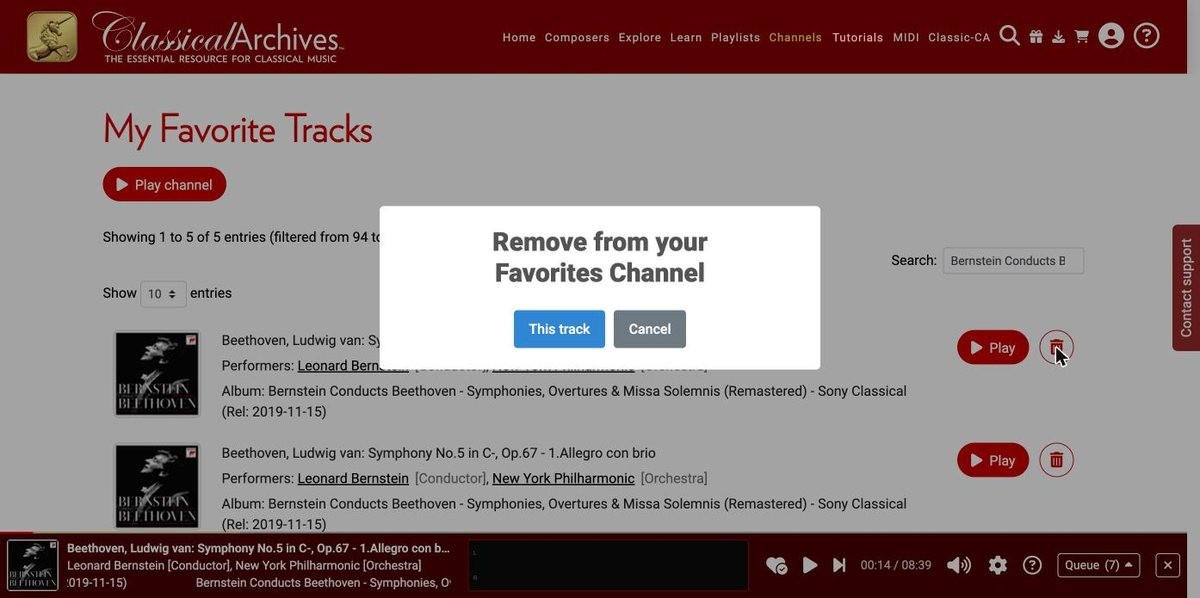
- From My Favorite Tracks: click the trash button on the row, then confirm with This track.
6More channels
Your Favorites channel is one of many. You can also play channels by period and genre (Channels → Channels by Period/Genre), and every composer and performer page has its own ▶ Play channel button. Getting Started explains them all.
Want to choose the exact order yourself instead? Make a playlist: see Creating and Sharing Playlists.