1What it is
The Classical Archives Alexa Skill plays unlimited concerts on your Amazon Echo, based on the genres and periods you choose by voice.
- It's available to all Classical Archives subscribers who own an Alexa device.
- You link it once, and it then works on all your Alexa Echo devices.
- Everything is done by voice. On an Echo Show, you can also tap your choices on screen.
The skill has its own page on the site. Open the Help (?) menu at the top right and choose Alexa Skill.

2Set it up (once)
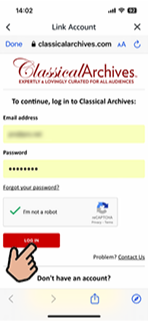
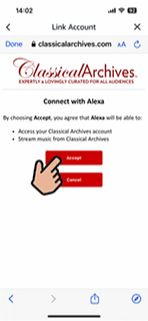
You link the skill to your Alexa account in the Alexa app on your phone or tablet. It takes about a minute.

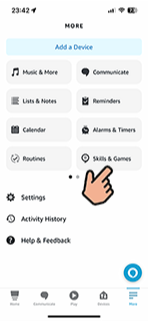

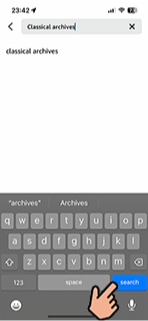
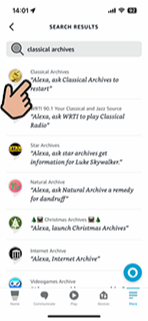
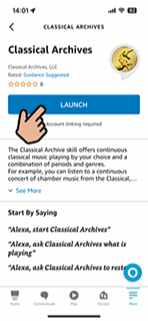

3Start a concert
- Say “Alexa, start Classical Archives”
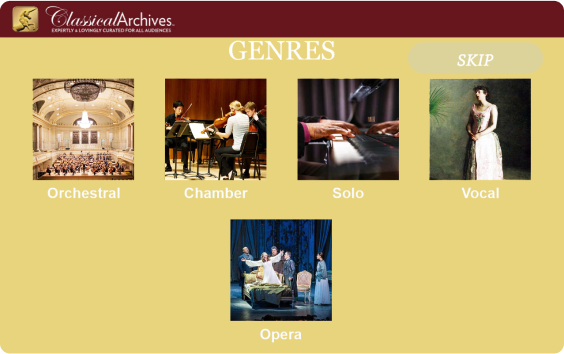
- Alexa asks you to choose one or more genres: Orchestral, Chamber, Solo, Vocal or Opera.
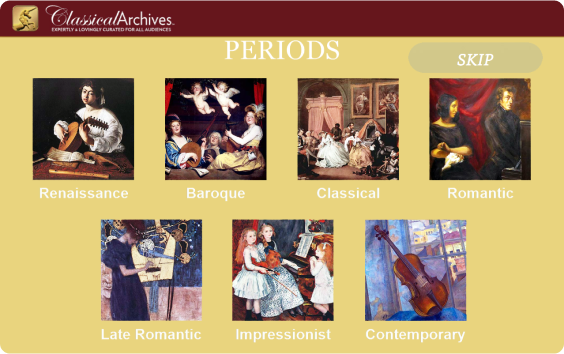
- Then choose one or more periods: Renaissance, Baroque, Classical, Romantic, Late-Romantic, Impressionist or Modern.
- Your Echo then plays a continuous concert of music matching your choices. It plays entire performances, with all their movements, as recorded on the albums.
4Voice commands
While the concert plays, you can say:
| To… | Say |
|---|---|
| Skip to the next track | “Alexa, next.” |
| Find out what's playing | “Alexa, ask Classical Archives what's this?” |
| Change genres and periods | “Alexa, ask Classical Archives to restart.” |
| Pause | “Alexa, pause.” |
| Resume | “Alexa, resume.” |
| Get help | “Alexa, ask Classical Archives for help.” |
| Leave the skill | “Alexa, exit Classical Archives.” |
5On an Echo Show
If your device has a screen, it always shows the album cover and the names of the composer and the work or movement, so you don't need to ask what's playing. You can also pick genres and periods by tapping them on screen:
6See what you listened to
Everything you hear through Alexa is recorded in your Listening History on the site. Open the Account menu (the person icon at the top right) and choose Listening History. You can open any recording from there to explore it further, add it to a playlist, or mark it as a favorite.